
- Betnero App Guide for UK Mobile Players
- How Betnero Mobile Access Works
- Betnero on iPhone and iPad
- Add Betnero to Your iPhone Home Screen
- Betnero on Android
- Browser Access and APK Installation
- Registering and Logging In on Mobile
- Account Confirmation and Identity Verification
- Password Recovery
- Browsing Betnero Casino Games on a Small Screen
- Payments and Offers During Mobile Use
- Browser Updates and Mobile Troubleshooting
- Protecting Your Betnero Mobile Login
Betnero App Guide for UK Mobile Players
Looking for the Betnero app? Betnero’s UK casino supports browser-based play on iPhone, iPad and Android devices, so you can open the website and use it without downloading dedicated casino software. A bookmark or home-screen shortcut gives you a convenient route back to the site.
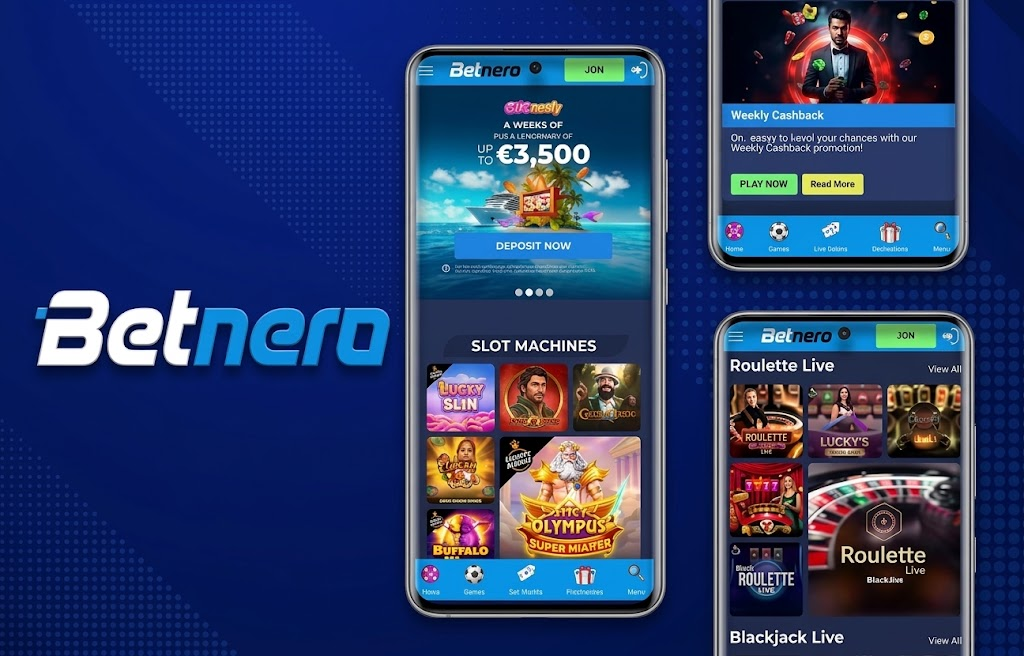
The practical starting point is the Betnero UK website. Open it in your mobile browser, then register or sign in through the account options presented there. Your browser handles access to the website; a home-screen icon simply makes that route easier to find.
How Betnero Mobile Access Works
Betnero uses an HTML5 browser-based platform for mobile gameplay. This means the website and games load through your browser rather than requiring a separate casino installation.
It helps to distinguish browser access from the different things that can be described as an app download.
| Access type | What it means | What matters for Betnero mobile use |
|---|---|---|
| Mobile website | Pages and games open in a browser | This is the documented mobile access route |
| Home-screen shortcut | An icon opens a saved website address | It provides quicker access to the same site |
| Native app | Software installed from an app store | This is a separate product from browser access |
| Android APK | An Android installation file | It is not needed to use Betnero through a browser |
An icon on your phone does not establish that you have installed a native Betnero app. Likewise, a file carrying the brand name does not establish its origin. Start with the UK website rather than choosing a download solely because it appears in search results.
Betnero on iPhone and iPad
For Betnero iPhone access, open the UK website in Safari and navigate to the casino or account area you need. The same browser-based approach applies on iPad.
A larger tablet screen can make account forms and game instructions easier to read. On a phone, use browser zoom for written conditions where helpful, and close the on-screen keyboard before reviewing the rest of a form.
Add Betnero to Your iPhone Home Screen
Safari lets you save a website icon to the home screen:
- Open Safari and visit the Betnero UK website.
- Open the sharing options. Depending on your Safari layout, these appear through the Share button or page menu.
- Select Add to Home Screen.
- Review the saved address and choose a recognisable name.
- Tap Add.
On versions of iOS that display Open as Web App, this option controls how the saved website opens. It does not turn the website into an App Store download or establish additional Betnero features.
On iPad, use Safari’s sharing options to add the website to the home screen. A normal bookmark is also useful if you prefer to keep casino access within your browser.
Betnero on Android
Android users can access Betnero through a mobile browser. Open the UK website directly and use the page controls presented on your device.
For repeat visits, Chrome supports website shortcuts. Open Betnero, use the menu beside the address bar, then follow the shortcut options. In current Chrome instructions, the route is Install and create shortcut, followed by Create shortcut and Add. Wording can vary between browser versions.
Browser Access and APK Installation
Using Betnero in Chrome does not require an APK file or permission to install software from another source. Creating a website shortcut and installing an Android package are different actions.
Before acting on a Betnero download link, consider:
- Whether the link originates from the operator’s own website.
- Whether it opens a website, an app-store listing or an installation file.
- Whether the destination matches the product you intended to use.
- Whether requested permissions have a clear purpose.
Keep the distinction practical: saving a shortcut changes how you reach the website, while installing an APK adds software to your device.
Registering and Logging In on Mobile
Use the account access route on the Betnero UK website. If you already have an account, sign in with your existing details rather than registering again because you have changed phones or browsers.
When completing registration, review each field before submitting. Mobile keyboards and autofill can introduce mistakes, particularly in email addresses, names and address details. Enter the information requested by the form accurately and read the conditions attached to registration.
Account Confirmation and Identity Verification
Account confirmation and identity verification serve different purposes. Confirmation generally establishes control of a contact detail, while verification checks information about the account holder. Follow the instructions presented for each task rather than assuming that completing one also completes the other.
If a document upload is requested, use the specified route and make sure the image is readable, complete and free from glare. Review the requested document type before taking photographs.
Password Recovery
If you cannot remember your password, use the recovery route presented on the website. Check the spelling of your account identifier before submitting a request, and use the latest recovery message when following a reset link.
A home-screen shortcut stores a route to the website. It should not be treated as a guarantee that your account will remain signed in.
Browsing Betnero Casino Games on a Small Screen
The Betnero casino page is the relevant starting point for casino play. Betnero also documents browser access for its roulette and table games sections.
Before placing a wager, open the game’s own information and review its controls. On a small screen, a stake display, balance and confirmation control may sit close together. Make sure you understand which control changes the stake and which starts play.
Screen rotation can help with some layouts, but the game determines how it responds. Use the orientation that keeps instructions and controls readable rather than assuming landscape mode is always preferable.
If play is interrupted, return to the account or game record and establish what happened before placing another wager. An interrupted display does not, by itself, tell you whether the previous action was accepted.
Payments and Offers During Mobile Use
For any payment task, use the options presented within your signed-in account. Before confirming, review the payment method, amount, currency and any conditions displayed for that transaction.
Mobile banking authentication may take you away from the browser temporarily. After completing the bank’s instructions, return to Betnero and inspect the transaction status. Avoid submitting the same payment repeatedly while its outcome is still unclear.
Deposit options and withdrawal options serve different purposes. A method shown for adding funds should not automatically be treated as a withdrawal method. Read the instructions for the particular transaction you intend to make.
For promotions, use the Betnero promotions page and open the individual offer conditions. Read these before accepting:
- Who qualifies for the offer.
- Whether activation or a code is required.
- What balance the wagering requirement applies to.
- Which games count towards completion.
- Any stake restrictions or completion deadline.
- How cancellation or withdrawal affects promotional funds.
Adding Betnero to your home screen changes the access route. It does not establish eligibility for a separate app bonus.
Browser Updates and Mobile Troubleshooting
With browser-based access, keep your browser and device software current. Website changes are delivered through the site, while browser updates maintain the software used to display it.
If a problem occurs, identify the stage first: opening the page, signing in, loading a game or completing a transaction. This makes the next action more useful than repeatedly refreshing everything.
| Problem | First check | Useful next action |
|---|---|---|
| A saved icon opens an unexpected page | Inspect the saved address | Replace the shortcut using the intended website |
| Autofill inserts incorrect login details | Review the account identifier and saved entry | Correct the entry or use the website’s recovery route |
| Text or controls look cramped | Check zoom, orientation and desktop-site mode | Return to the mobile layout and adjust the view |
| A game stops responding | Check the connection and whether the page is still active | Establish the previous wager’s status before continuing |
| A payment status is unclear | Review the account transaction record and bank response | Resolve the existing transaction before submitting another |
| A document upload fails | Review the requested format and image quality | Prepare a readable file that meets the displayed instructions |
Clearing website data can remove saved sessions and preferences, so use it after simpler checks such as correcting the address or restarting the browser. Make sure you can access your login details before doing so.
Protecting Your Betnero Mobile Login
Use a unique password and protect the phone itself with a screen lock. Save credentials only on a device you control, and sign out after using a shared device.
Review the full website address before entering account details, particularly when arriving through an advertisement, message or search result. A familiar logo is not enough to identify the destination.
Treat permission requests individually. For example, a camera request may relate to taking a document photograph, while notifications serve a different purpose. Understand the task before granting access rather than accepting every prompt automatically.
If you need help with a mobile issue, use the contact route presented on the website. Include your device type, browser, the action you attempted and the exact error text. Screenshots can help, but remove passwords, verification codes and unnecessary payment details.
For regular access, save the correct Betnero UK address once, keep your browser updated and use the same account credentials when moving between devices.
Download the Betnero Casino App Now
Android APK + iOS PWA - instant setup for UK players. Claim your mobile bonus on first login.
18+. T&Cs apply. UK players only. Please gamble responsibly.

Bonus Rewards October 2026
